Skip to content
Glimpse Publishing House logo: an open book beneath a rising light
  • Home
  • Reading Room
  • Give a Glimpse
  • Club Glimpse
  • Store
  • The Circle
  • Our Story
  • Home
  • Reading Room
  • Give a Glimpse
  • Club Glimpse
  • Store
  • The Circle
  • Our Story

Help with loading the Audiobook. These instructions are specific to iPhone, but are very similar for you computer or Android (Voice is a Free Book player for Android)

STEP 1

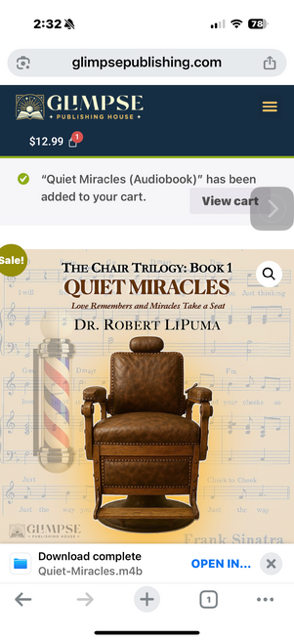
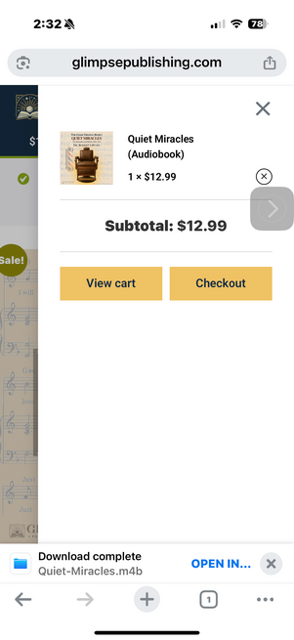
Go to the App store and make sure you have downloaded Book Player (Free App). Now you are ready to choose your audion book. Once you add your choice to the cart, click on the cart under the Glimpse Logo with the red 1.

STEP 2

Select Checkout

STEP 3

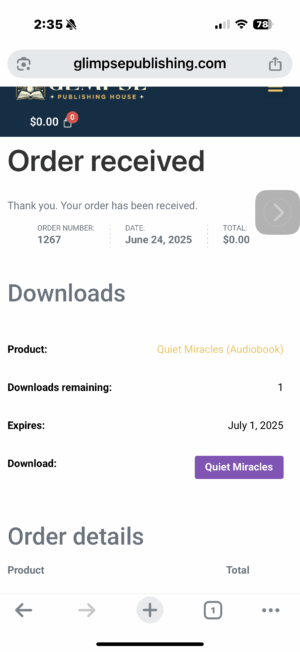
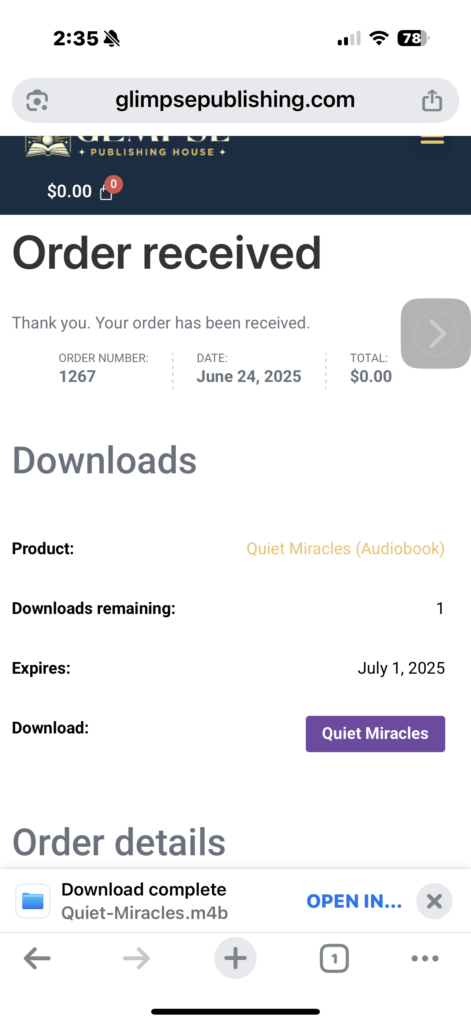
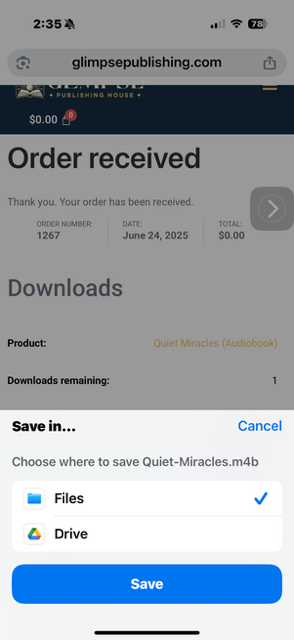
You will need to complete your personal and credit card information and proceed with the order. Once complete you will see this screen and can click on the Purple Button.

STEP 4

When Download complete appears below Order Details, click Open In

STEP 5

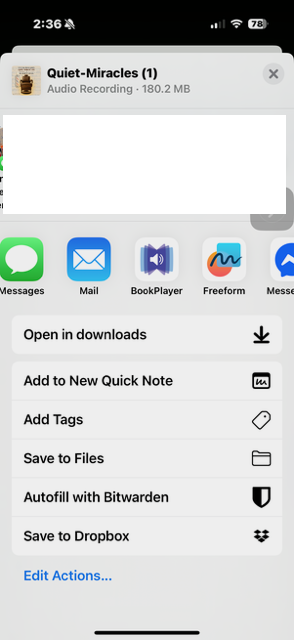
Find Book Player that you installed from the App Store and click on it.

STEP 6

Save in Files on your Phone. 

STEP 7

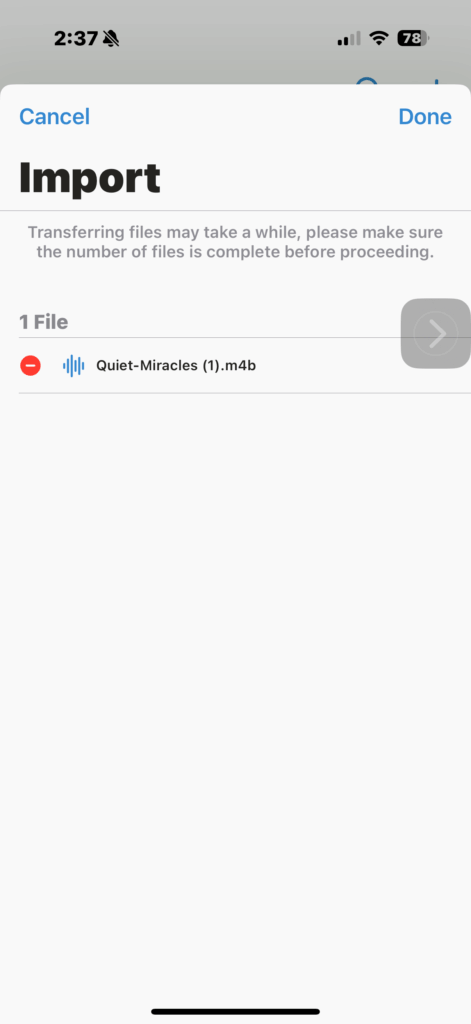
Go to the Book Player App on you Phone and open it. Click Done.

STEP 8

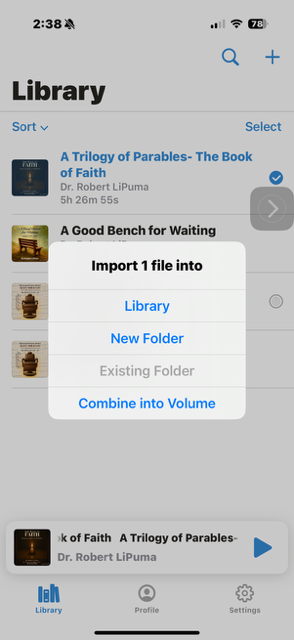
Add the file to your library and you are ready to listen.

Glimpse Publishing House logo: an open book beneath a rising light

Who We Are

At Glimpse Publishing House, we are devoted to capturing and sharing moments. Through inspiring stories, practical guides, and books that heal.

Facebook-f Instagram Tiktok Youtube

QUICK LINKS

  • Reading Room
  • Give a Glimpse
  • About Us
  • Our Books
  • Letters
  • Privacy Policy
  • The Circle (free)
  • Reading Room
  • Give a Glimpse
  • About Us
  • Our Books
  • Letters
  • Privacy Policy
  • The Circle (free)

CONTACT US

  • info@glimpsepublishing.com
  • www.glimpsepublishing.com

Copyright © 2026. Glimpse Publishing House. All Rights Reserved.

Visa, Mastercard, Discover and American Express accepted